Summary
MikroTik Connectivity is our new built-in eSIM solution that ensures your devices stay connected anywhere, without the need for physical SIM swaps or external activation steps. For additional info visit https://mikrotik.com/connectivity
eSIM profiles remain on the device they were installed on and do not expire.
Only the subscription expires based on the selected plan, while the profile can be reactivated later by purchasing a new subscription.
Activation example
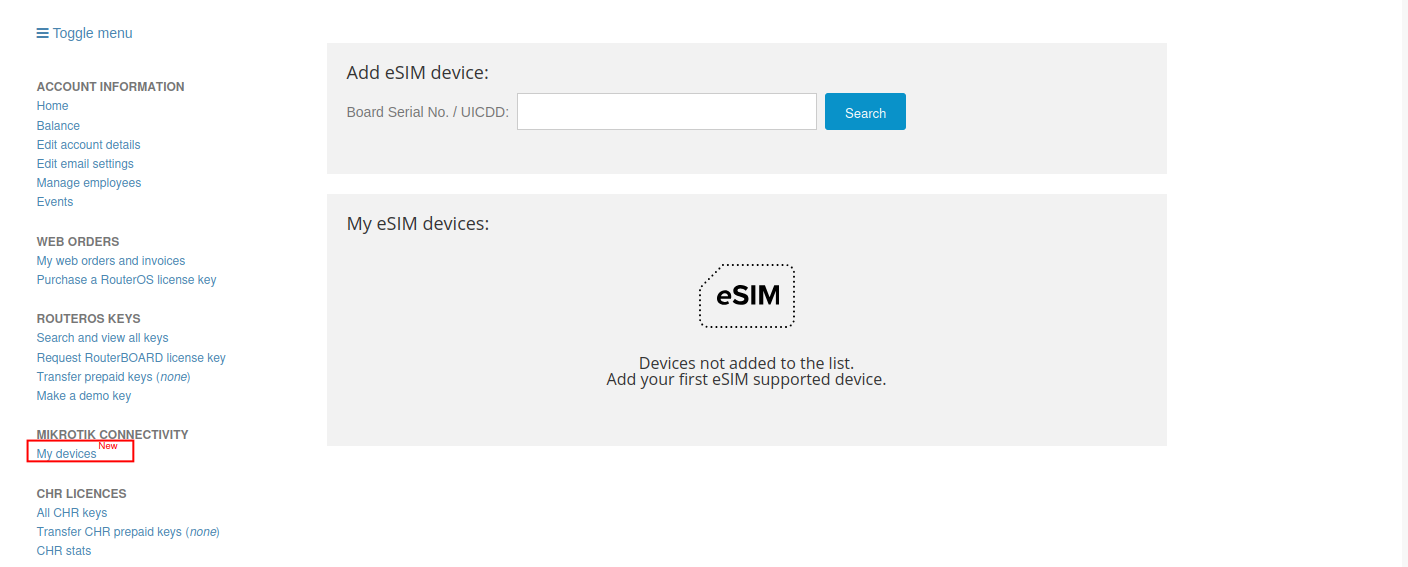
1) Sign in to your MikroTik account, select "My devices".
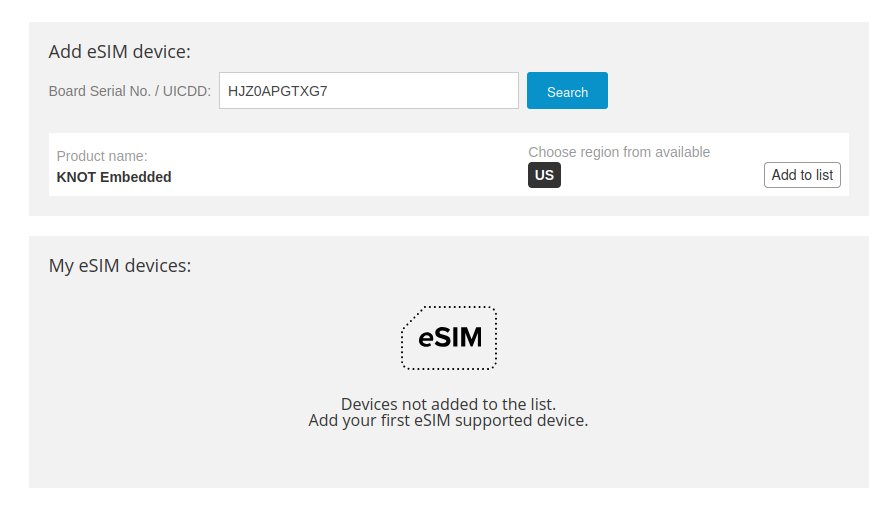
2) Enter your device’s Serial Number – the system will detect. Chose the region and then press "Add to list".
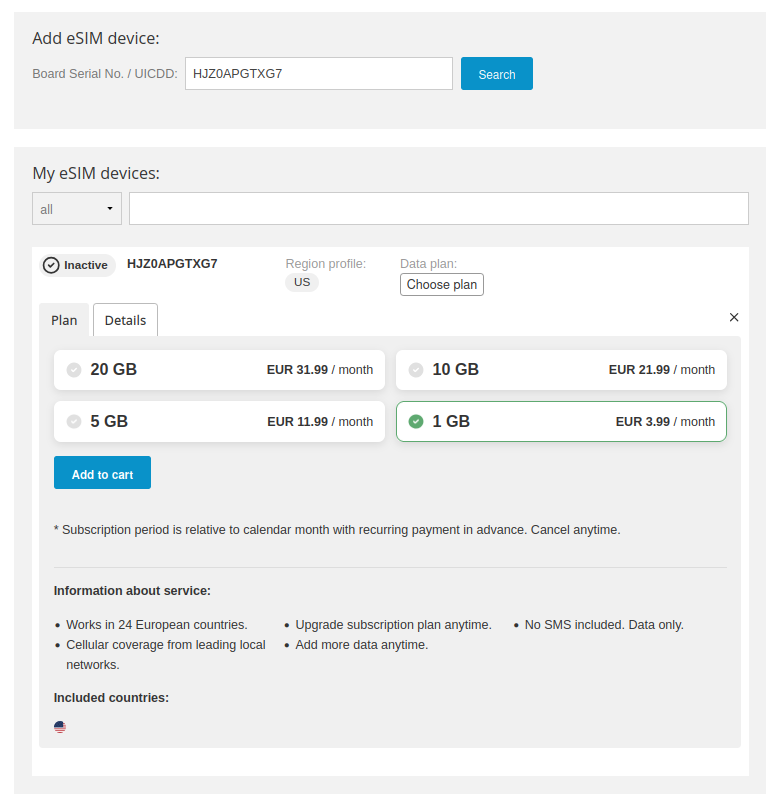
3) Choose a data plan and payment method that suits your needs. Then add it to the cart.
4) Proceed with payment in the cart.
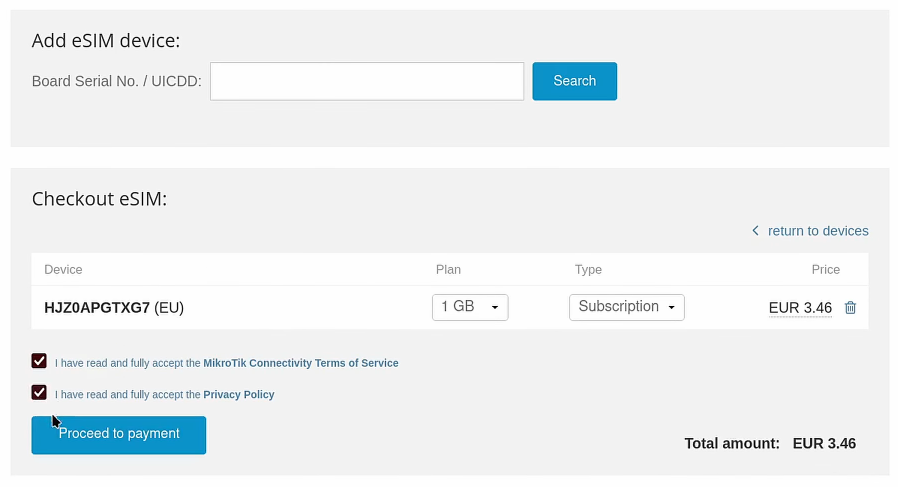
5) Once payment is done go back to "My devices" and you will see that the subscription is now Active.
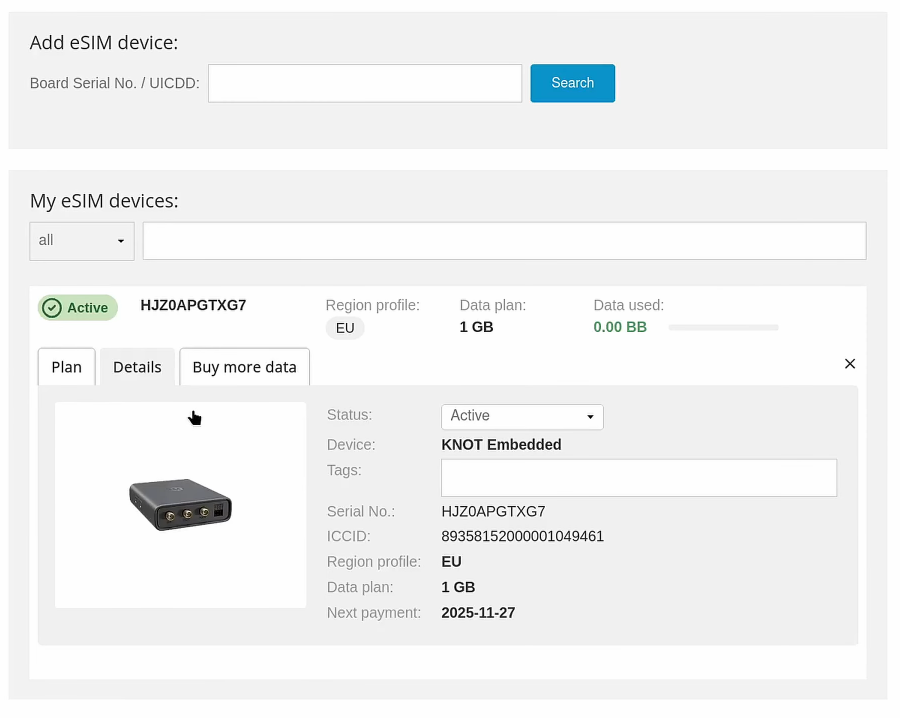
MikroTik eSIM profiles are preloaded, so there’s no need for an internet connection during activation. The activation itself usually takes a few minutes, but in some cases it can take even a few hours.
6) In RouterOS check that your device is set to use "esim" and the correct profile is active.
CLI:
[admin@EG25-G&KNe] > interface/lte/settings/print
                 mode: auto
         esim-channel: auto
        firmware-path: firmware
  link-recovery-timer: 120
             sim-slot: sim
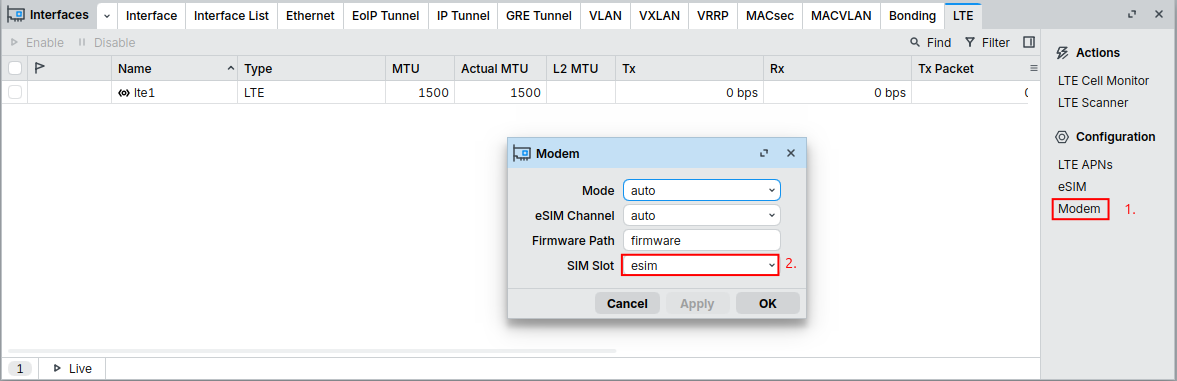
[admin@EG25-G&KNe] > interface/lte/settings/set sim-slot=esim
[admin@EG25-G&KNe] > interface/lte/esim/print
Flags: A - ACTIVE
Columns: INTERFACE, NAME, SPN, ICCID
#   INTERFACE  NAME       SPN                      ICCID
0 A lte1       Profile 1  MikroTik  89358152000001049461
1   lte1       Profile 4  MikroTik  89358152000001349465
In WinBox:
Go to Interfaces > LTE > Modem to select the esim SIM slot:
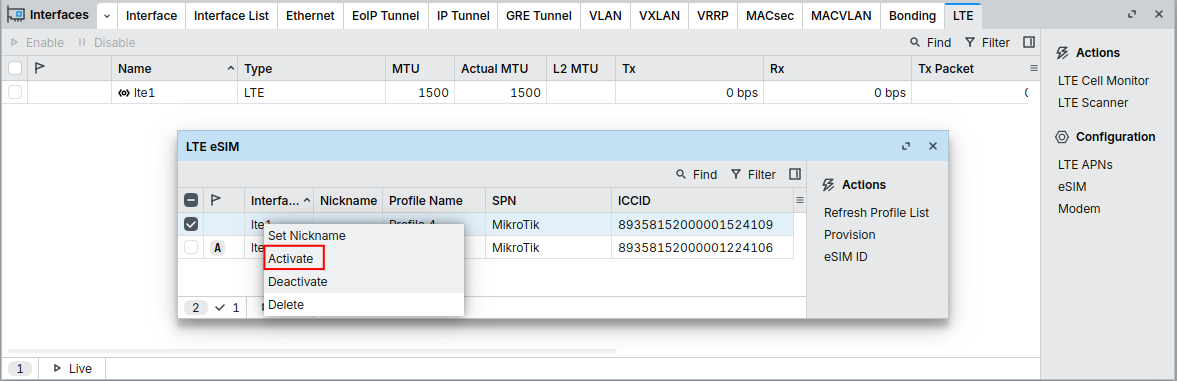
Go to Interfaces > LTE > eSIM to check which is the active esim profile:
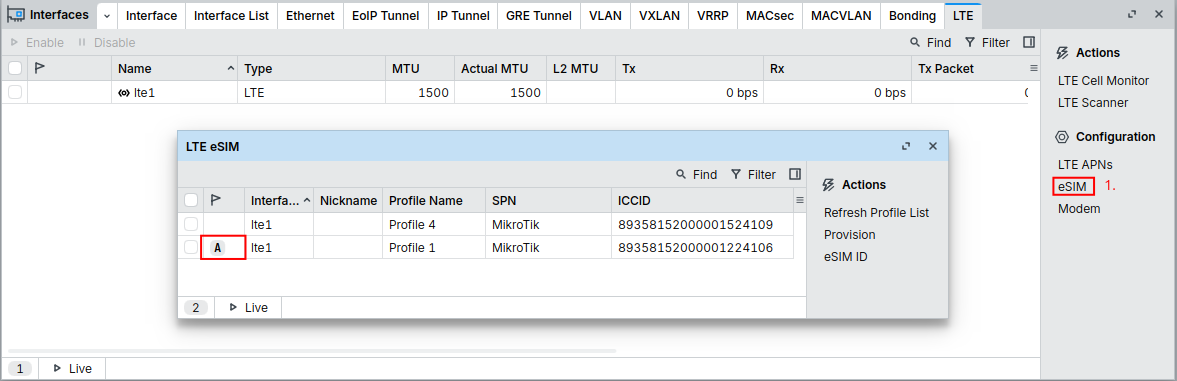
If you need to change the Active profile, right click on the profile and select "Activate":